
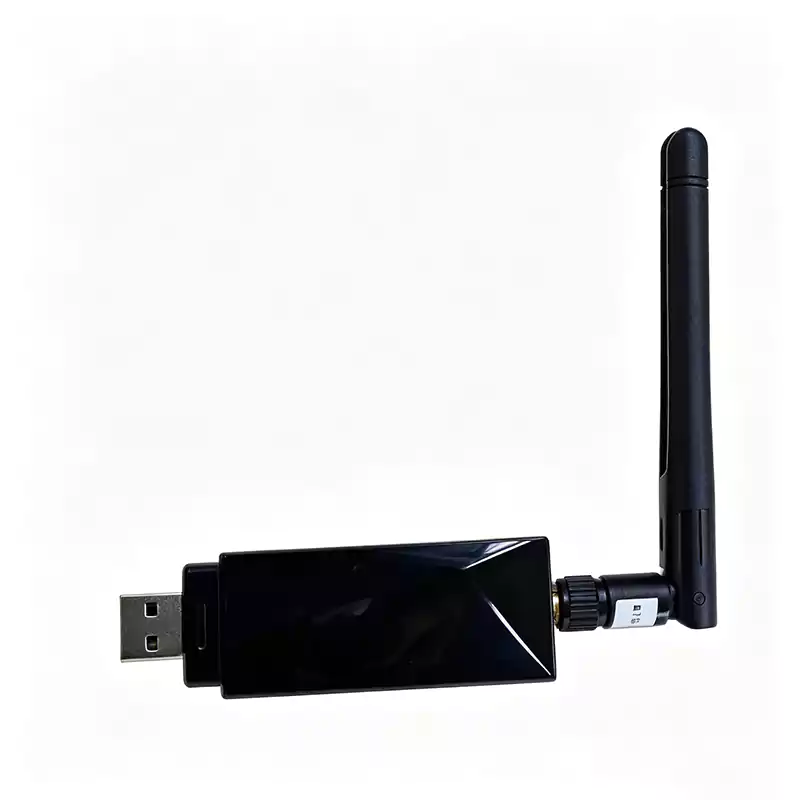
WH126 – Single-Channel LoRa Gateway with USB & Ethernet
SX1268 · 22dBm TX · -142dBm RX · AT Command · TLV/JSON
Key Features at a Glance
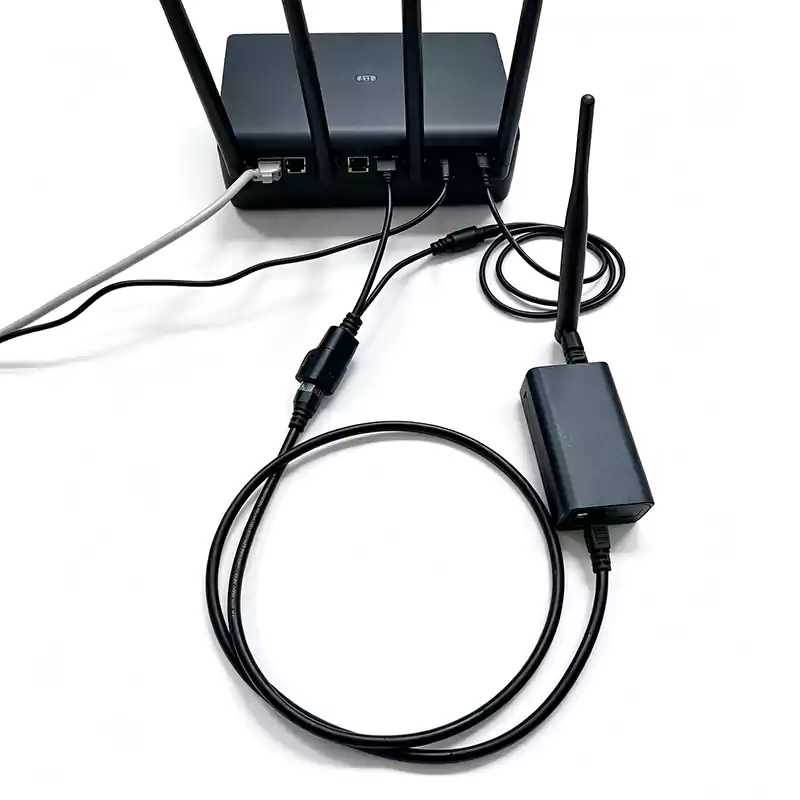
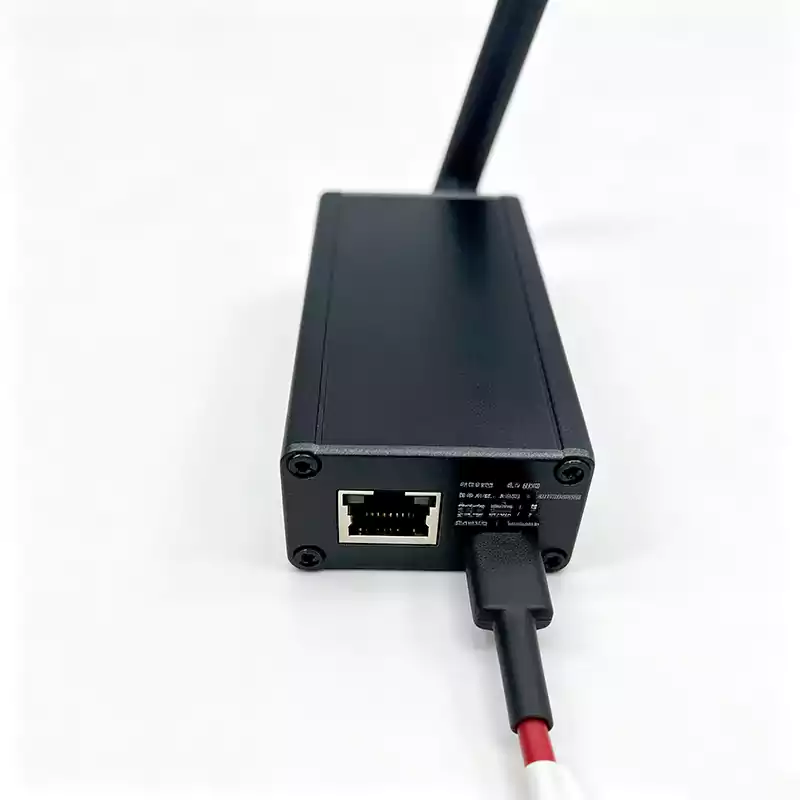
USB + Ethernet
Data can be sent to both interfaces simultaneously. Debug over serial while deployed on your network.
Full LoRa Control
Configure sync word, preamble, IQ polarity, bandwidth, spreading factor (SF), and coding rate via AT commands.
AT Command Compatible
Uses the same command set as our GL-series gateways, making integration seamless.
No LoRaWAN Stack
No OTAA, no join procedure. Set your frequency and listen. Pure LoRa packet forwarding.
SX1268 Core
Max TX power of 22dBm, RX sensitivity down to -142dBm for long-range communication.
Configurable Output
Choose TLV, JSON, or transparent mode to match your backend data pipeline.
What Problem Does This Solve?
The WH126 is a single-channel bridge. It solves a simple but common problem: you have LoRa sensors, but you do not want to deploy a full LoRaWAN network server.
How it works:
Connect the WH126 to your computer via USB. Install the CH340 driver. The device appears as a virtual COM port. Use AT commands or the SensorTool (Windows GUI) to configure LoRa parameters such as frequency, bandwidth, and spreading factor. Once configured, the WH126 listens for matching LoRa packets and forwards them over USB or Ethernet.
Ethernet mode:
The WH126 includes an onboard Ethernet module that supports TCP/UDP communication. You can configure it as a TCP Client, TCP Server, UDP Client, or UDP Server. Data can be sent to a remote server in real time through the network port.
When this is the wrong tool:
You need standard LoRaWAN compliance (no OTAA/join support)
You need to listen to multiple spreading factors simultaneously (this is a single-channel device)
You need to send commands over USB and Ethernet at the same time (the UART is shared between both interfaces)
Core Features in Detail
USB Virtual COM Port
The WH126 connects to a computer via USB. You must install the CH340 driver. After installation, the device appears as "USB-SERIAL CH340 (COMx)" in Windows Device Manager. Use the SensorTool or any serial terminal (like PuTTY) to configure the device and exchange data.
AT Command Configuration
The WH126 supports a full set of AT commands. The AT+CFG? command returns the current configuration including frequency, bandwidth, spreading factor, coding rate, sync word, and more. Refer to the Rejeee AT command manual for the full command list.
Ethernet Module (RJ45)
Supports TCP Client (recommended), TCP Server, UDP Client, and UDP Server modes. Use the configuration tool to set network parameters. Domain name support is available in TCP Client mode.
SensorTool Configuration GUI
The Windows GUI tool allows you to configure serial port, baud rate, protocol mode, TX/RX frequencies, data format, reporting interval, and TX power. The tool also provides buttons for reading configuration, updating settings, rebooting, and factory reset.
Dual Power Options
Power via USB (5V) or Ethernet passive POE (5-9V DC). Important: Do not use both at the same time. When powered via POE, the USB port does not output power.
Data Format Compatibility
Firmware is compatible with the AT command and output format of our GL-series LoRa/LoRaWAN gateways. Supported output formats include TLV, JSON, transparent, Modbus, and Modbus TCP.
Technical Specifications
| Category | Specification |
|---|---|
| Model | WH126CN-RJ45 |
| Wireless chipset | LoRa (SX1268) |
| Frequency range | 410 – 525 MHz |
| TX power | 5 – 22dBm (configurable) |
| RX sensitivity | -141dBm @ 470MHz, 125kHz BW, SF=12; per-channel -142dBm |
| Encryption | AES128 |
| Communication mode | Half-duplex |
| Data rate | 300bps – 62.5kbps |
| Power supply | USB (5V) or Ethernet passive POE (5-9V DC) |
| TX current | 150mA @ 22dBm |
| RX current | 25mA (continuous) |
| Range (typical) | Up to 2km in open area with SF12, 125kHz bandwidth. Actual range depends on the transmitting device and environment. |
| Configuration method | AT commands or SensorTool (Windows GUI) |
| Output formats | TLV / JSON / transparent |
| Dimensions | 100.7mm × 46.5mm × 29.52mm |
| Antenna connector | SMA (female thread, inner hole) |
Use Case Examples
Industrial LoRa Data Collection
An industrial control system receives LoRa sensor data through a WH126 configured in TCP Client mode. The device pushes data to a remote server over Ethernet, enabling a small-scale IoT collection system without a dedicated LoRaWAN infrastructure.
Multi-Channel Listening
Multiple WH126 units connected to the same computer, each configured independently (different frequencies or different spreading factors) to effectively listen on multiple channels.
Mixed USB & Ethernet Operation
During development, connect via USB to a laptop for debugging. For final deployment, power via passive POE and connect to Ethernet. No hardware swap required.
Ready to bridge your LoRa sensors without a full LoRaWAN stack?
Request a sample unit or a technical consultation. We'll help you integrate the WH126 into your custom IoT data collection system.
Request pricing & sample →Mobile: [+86] 189-7480-9810 (supports calls, WhatsApp, and WeChat)
Email: sales@cumond.com
Website: www.iot-solutionhub.com